Khi gặp lỗi mật khẩu bị expire, có thể tham khảo cách làm dưới
https://hecpv.wordpress.com/2014/10/16/how-to-solve-ora-28001-the-password-has-expired/
The other day I was happily opening SQL Developer when I found this horrible thing.
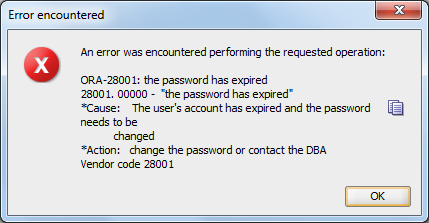
Here is how to solve it.
- Connect as sysdba to the database.
C:\Users\Siry>sqlplus / as sysdba
- Run the query to set the password’s life time to unlimited.
SQL> ALTER PROFILE DEFAULT LIMIT PASSWORD_LIFE_TIME UNLIMITED;
Profile altered.
- Set a password for the locked user.
SQL> ALTER USER user_name IDENTIFIED BY password;
User altered.
- Unlock the user account.
SQL> ALTER USER user_name ACCOUNT UNLOCK;
User altered.
- Make sure your user is not locked anymore.
SQL> SELECT USERNAME,ACCOUNT_STATUS FROM DBA_USERS;
USERNAME ACCOUNT_STATUS
------------------------------ --------------------------------
HR                             OPEN
ANONYMOUS                      OPEN
APEX_040000                    LOCKED
FLOWS_FILES                    LOCKED
XDB                            EXPIRED & LOCKED
CTXSYS                         EXPIRED & LOCKED
MDSYS                          EXPIRED & LOCKED
SYSTEM                         OPEN
SYS                            OPEN
user_name                      OPEN
SIRY                           OPEN

USERNAME ACCOUNT_STATUS
------------------------------ --------------------------------
APEX_PUBLIC_USER               LOCKED
XS$NULL                        EXPIRED & LOCKED
OUTLN                          EXPIRED & LOCKED

15 rows selected.
Remember that all the text in Italics represents variables and should be replaced with your own values.
Please note that this may NOT be the best option for you specially if you are not using your database only for development/testing which is my case. I do not recommend to do this in a production environment.
